StoryMem: Multi-shot Long Video Storytelling with Memory
What is StoryMem: Multi-shot Long Video Storytelling with Memory
StoryMem is a research project that turns a text story with per-shot lines into a long, multi-shot video. It builds each shot one after another while keeping the same characters, style, and scene details across the whole video.
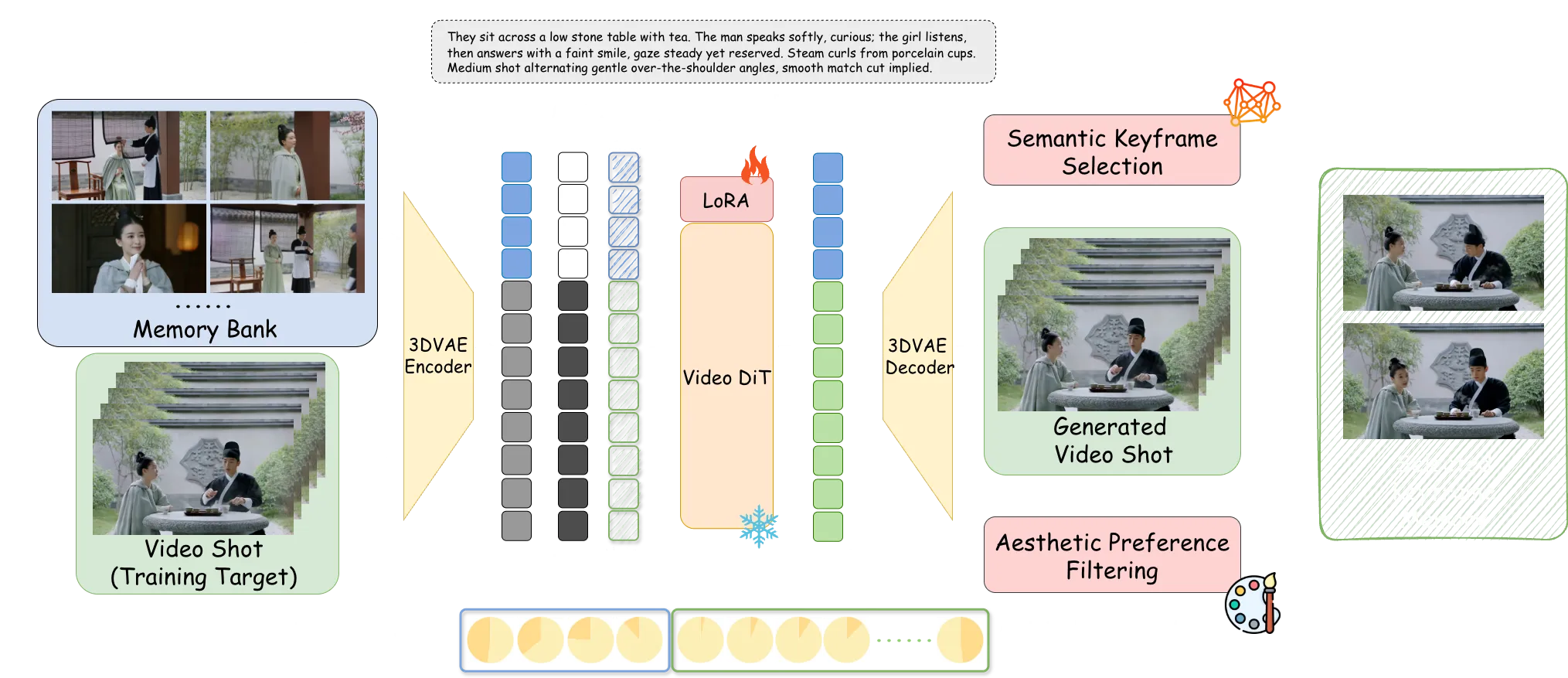
It does this by keeping a small “memory” of keyframes from earlier shots. That memory guides the next shot, so the story stays steady from start to finish.
StoryMem: Multi-shot Long Video Storytelling with Memory Overview
Here is a quick summary of the project.
| Item | Details |
|---|---|
| Type | Open-source research project and codebase |
| Purpose | Create minute-long, multi-shot videos from a scripted story with shot-by-shot text |
| Core Idea | Use a memory bank of keyframes to guide each new shot (Memory-to-Video, M2V) |
| Main Features | Memory bank, MI2V and MM2V options, LoRA fine-tuning, smooth shot transitions, stable characters |
| Inputs | Story script JSON with per-shot text; optional first-frame image or first 5 motion frames |
| Outputs | A multi-shot video with steady story and look |
| Base Models | Wan2.2 T2V and I2V models, plus StoryMem M2V LoRA |
| Who It’s For | Creators, researchers, and teams who want longer, story-based videos |
| Extra | ST-Bench: a set of 30 long story scripts for testing multi-shot video storytelling |
If you are new to long story videos, see our short explainer on long context video.
StoryMem: Multi-shot Long Video Storytelling with Memory Key Features
- Memory-to-Video (M2V): Keeps a compact memory bank of keyframes from past shots to guide the next shot.
- MI2V and MM2V: Add a first-frame image (MI2V) or the first 5 motion frames (MM2V) to better connect two shots.
- Smooth shot links: Helps keep style, characters, and scene details steady across shots.
- Better keyframes: Picks memory frames with a semantic check and an aesthetic filter for clean, helpful memory.
- LoRA fine-tuning only: Injects memory into a single-shot video model with light-weight LoRA, so it is easy to adapt.
- Flexible start: Use T2V to make the first shot, or use M2V if you already have starting keyframes.
To learn how text prompts map to moving clips, check our plain-language intro to text-to-video basics.
StoryMem: Multi-shot Long Video Storytelling with Memory Use Cases
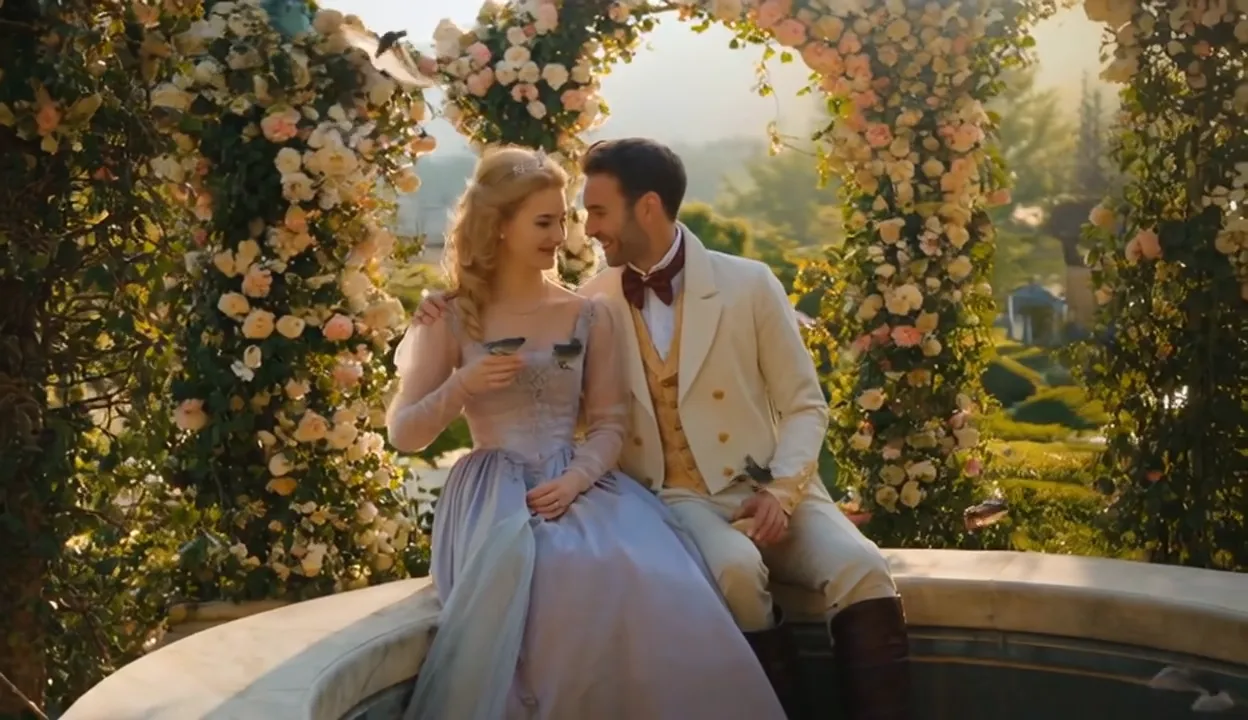
- Short films and stories: Turn a script with shot notes into a steady, minute-long video.
- Ads and promos: Keep the same brand look and characters across many cuts.
- Education and explainers: Build longer lesson videos with a stable style.
- Concept previews: Explore storyboards and mood films that keep the same cast and world across shots.

How StoryMem Keeps Your Story Steady
StoryMem treats the whole video as many small shots. It saves a few keyframes from each finished shot in a memory bank.
When it makes the next shot, it feeds that memory into a single-shot video model. This helps the new shot match the people, clothes, colors, and scene from before.
Keyframes are picked by meaning (semantic selection) and then filtered for look quality (aesthetic preference). This keeps the memory small but strong, which cuts drift across shots.
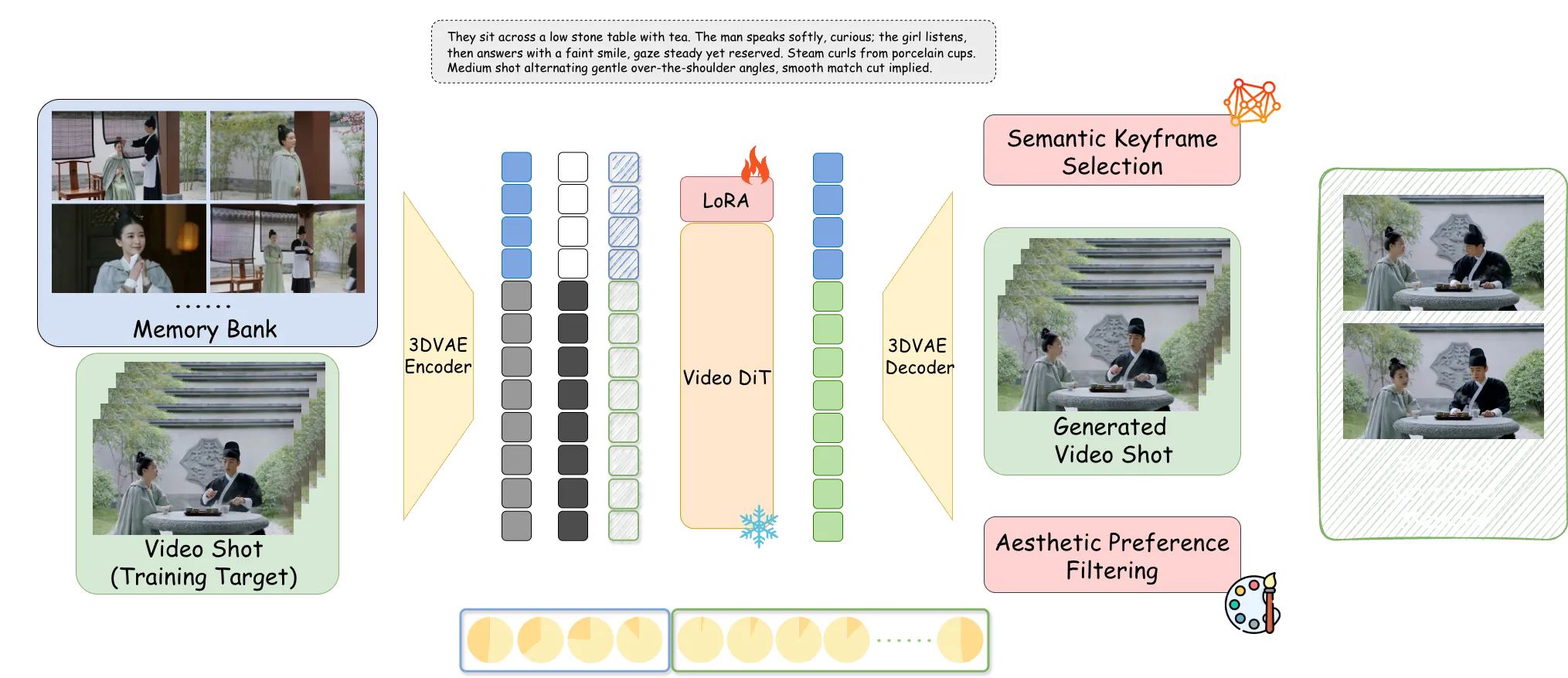
The Technology Behind It (In Simple Words)
- Memory injection: StoryMem blends saved keyframes into the model’s hidden space (latent concatenation) and uses small RoPE shifts. This helps the model “remember” what came before.
- Light tuning: Only LoRA weights are fine-tuned, which keeps setup lighter than full model training.
- Flexible linking: MI2V and MM2V modes can connect back-to-back shots when there is no hard scene cut.
Curious about other bold video systems? See this related read on Goku video generation.
Installation & Setup
Follow these steps exactly as shown.
Installation
git clone --single-branch --branch main git@github.com:Kevin-thu/StoryMem.git
cd StoryMem
conda create -n storymem python=3.11
conda activate storymem
pip install -r requirements.txt
pip install flash_attn
Model Download
Download Wan2.2 Base Model and StoryMem M2V LoRA from Huggingface:
You can easily download models using huggingface-cli:
pip install "huggingface_hub[cli]"
huggingface-cli download Wan-AI/Wan2.2-T2V-A14B --local-dir ./models/Wan2.2-T2V-A14B
huggingface-cli download Wan-AI/Wan2.2-I2V-A14B --local-dir ./models/Wan2.2-I2V-A14B
huggingface-cli download Kevin-thu/StoryMem --local-dir ./models/StoryMem
There are two models provided:
- StoryMem/Wan2.2-MI2V-A14B: Support M2V and MI2V (memory + first-frame image conditioning)
- StoryMem/Wan2.2-MM2V-A14B: Support M2V and MM2V (memory + first 5 motion frames conditioning)
Run the Code
You can run an example using the following command:
bash run_example.sh
This script first uses the T2V model to generate the first shot as the initial memory. It then uses our M2V model to generate the remaining shots shot by shot, automatically extracting keyframes and updating the memory after each shot.
Key arguments:
- story_script_path: Path to the story script JSON file.
- output_dir: Directory to save the generated videos. Default is ./results.
- t2v_model_path: Path to the T2V model. Default is ./models/Wan2.2-T2V-A14B.
- i2v_model_path: Path to the I2V model. Default is ./models/Wan2.2-I2V-A14B.
- lora_weight_path: Path to the M2V LoRA weights. Default is ./models/StoryMem.
- seed: Random seed. Default is 0.
- size: Output video resolution. Default is 832*480.
- max_memory_size: Maximum number of shots to keep in memory. Default is 10.
- t2v_first_shot: Use T2V to generate the first shot as the initial memory.
- m2v_first_shot: Use M2V to generate the first shot (for the MR2V setting, where reference images are provided as initial memory). Reference images should be placed in output_dir as 00_00_keyframe0.jpg, ..., 00_00_keyframeN.jpg.
- mi2v: Enable MI2V (memory + first-frame image conditioning) to connect adjacent shots when scene_cut is False.
- mm2v: Enable MM2V (memory + first 5 motion frames conditioning) to connect adjacent shots when scene_cut is False.
Tip: For stories without a hard cut, try mi2v or mm2v to link two shots closely. For a cold start, t2v_first_shot gives you the first memory shot with text only.
ST-Bench: A Simple Way to Test
The team built ST-Bench to test multi-shot stories. It lives in the ./story subfolder and includes 30 long story scripts made with GPT-5.
You can use these scripts to check how well the video stays steady across shots. They also help compare methods on story flow and look quality.
Performance & Showcases
Showcase 1 — ✦ ✦ ✦ Heading: Demo | Label: ✦ ✦ ✦. This sample highlights shot-by-shot creation guided by memory. It shows steady characters and style across cuts.
Showcase 2 — ✦ ✦ ✦ Heading: Demo | Label: ✦ ✦ ✦. This clip shows StoryMem producing a longer scene made from many shots. Memory keeps key details from drifting.
Showcase 3 — ✦ ✦ ✦ Heading: Demo | Label: ✦ ✦ ✦. The example stacks shots while keeping the same cast and wardrobe. The look stays steady from start to end.
Showcase 4 — 0:00 / 0:00 Heading: Multi-shot Long Video Storytelling | Label: 0:00 / 0:00. This piece shows how StoryMem links shots into a minute-long story. The memory bank helps keep scenes and people consistent.
Showcase 5 — 0:00 / 0:00 Heading: Multi-shot Long Video Storytelling | Label: 0:00 / 0:00. Here, a full story plays out across many shots. You can see stable framing and style over time.
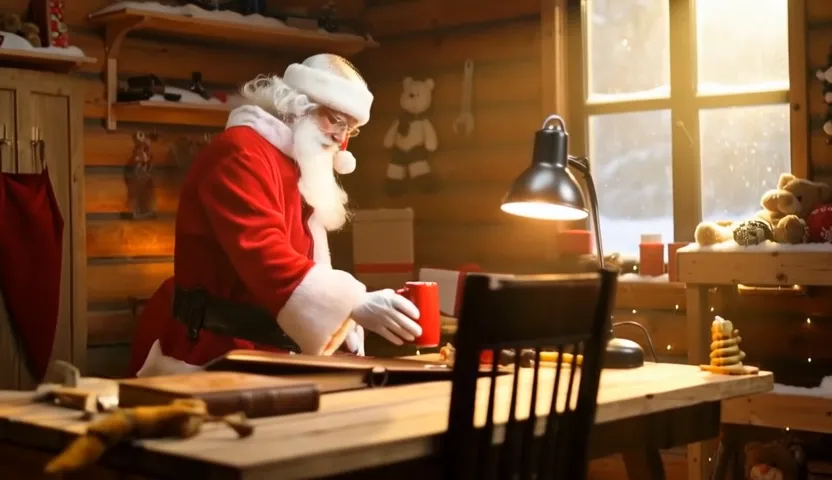
How to Prepare a Good Story Script
Keep your script as a list of shots. Write clear, short text for each shot that names the main people, place, and action.
If two shots are meant to connect, you can turn on mi2v or mm2v. If a new scene starts, a hard cut works well with memory-only M2V.
Troubleshooting Basics
If the first shot sets the wrong tone, re-run with a new seed or adjust the first-shot prompt. Small edits to key details in the shot text can guide style and character.
If later shots drift, raise max_memory_size a bit or refine the text for those shots. For close links between two shots, try mi2v or mm2v.
FAQ
What files do I need before I start?
You need a JSON story script with per-shot text. You also need the Wan2.2 base models and the StoryMem LoRA, as shown in the setup steps.
How long can the video be?
The paper targets minute-long, multi-shot videos. Length depends on your story and compute time.
Do I need images for the first shot?
No. By default, the first shot is made with text-to-video (t2v_first_shot). You can also start with your own keyframes using m2v_first_shot.
When should I enable MI2V or MM2V?
Use them when two shots should connect closely and there is no hard scene cut. MI2V uses one starting frame; MM2V uses five early motion frames.
Image source: StoryMem: Multi-shot Long Video Storytelling with Memory