Mastering Identity: How ID-Aligner Perfects Personalized Text-to-Image Generation
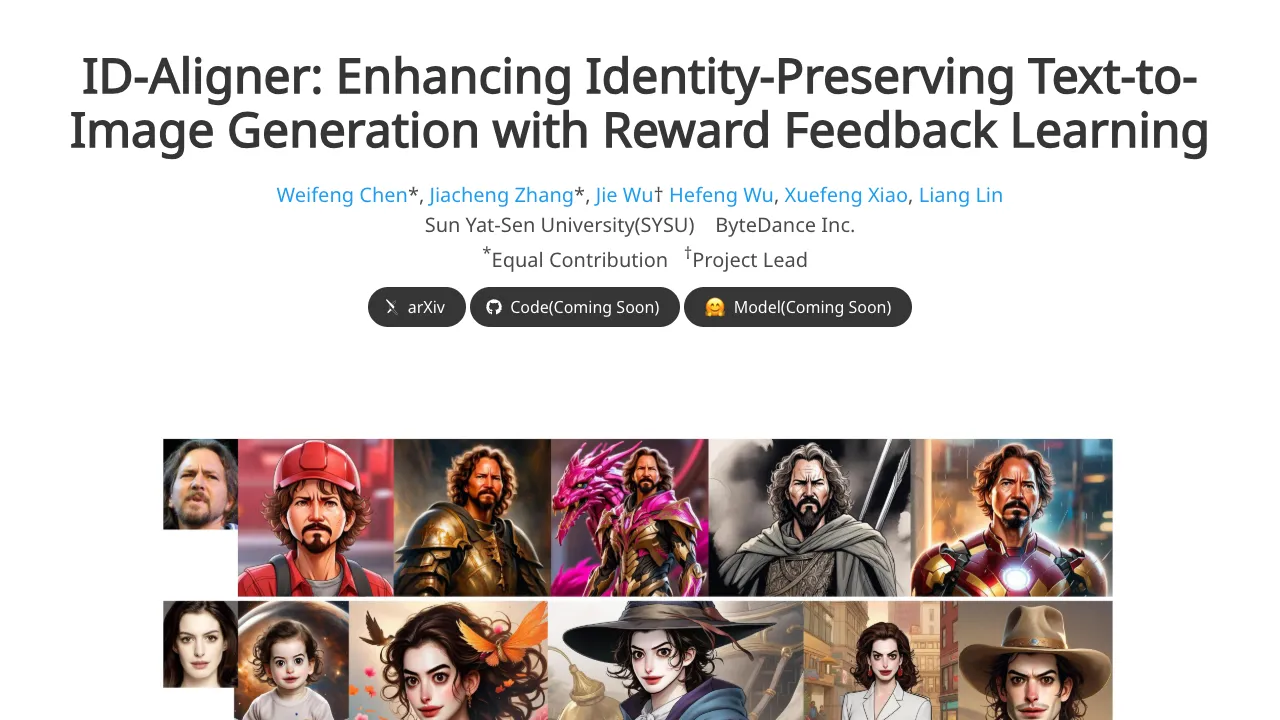
What is ing Identity: How ID-Aligner Perfects Personalized Text-to-Image Generation
ID-Aligner is a research project that helps AI image tools keep a person’s face the same across many photos, even when prompts change. It aims to hold on to who the person is while also making the picture look nice and well-styled.
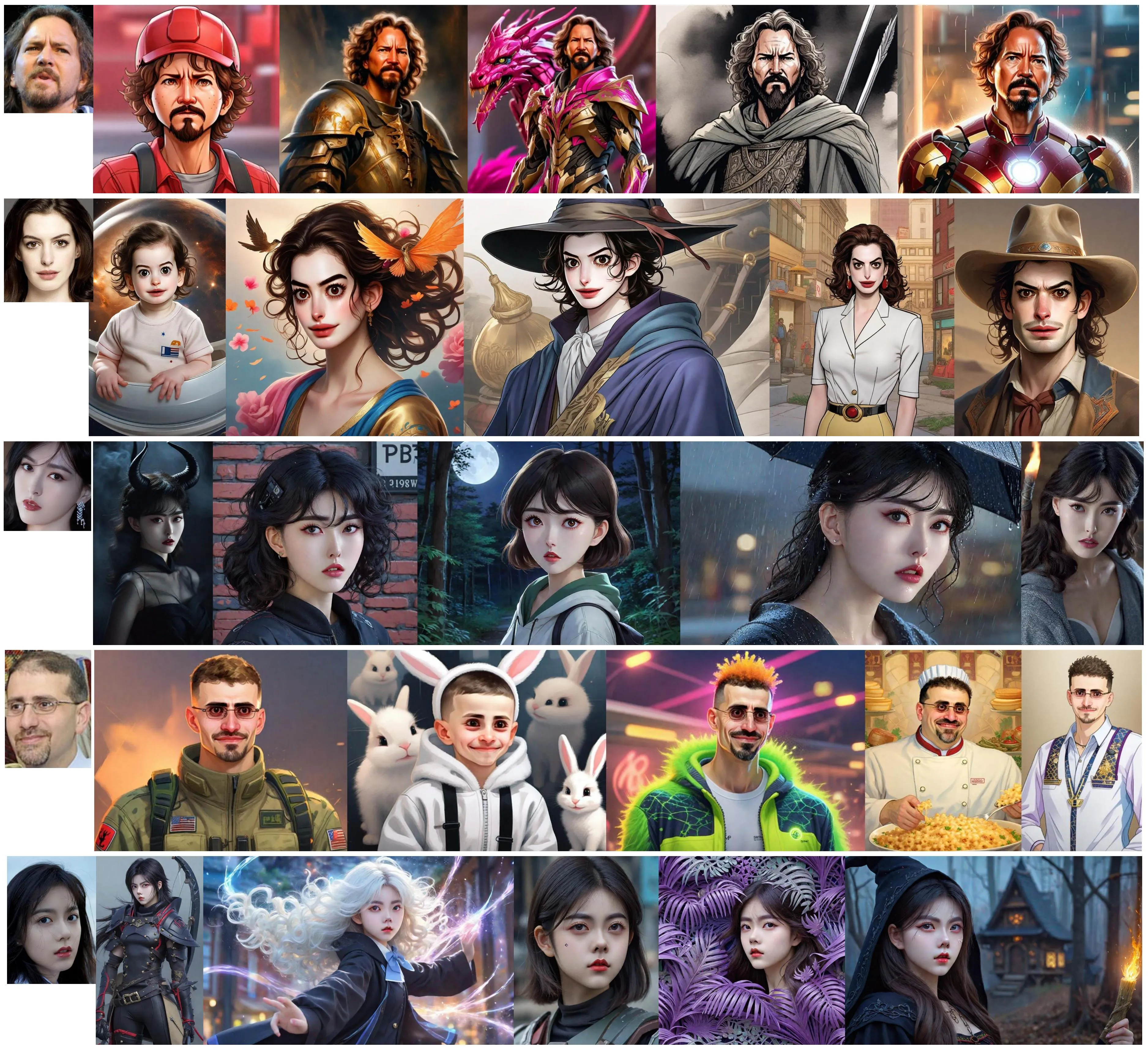
Most tools can draw faces well, but they often drift from the real person when you ask for new poses, outfits, or scenes. ID-Aligner solves this with a simple idea: it adds feedback during training so the model learns to keep the face consistent and also improve image style.
ing Identity: How ID-Aligner Perfects Personalized Text-to-Image Generation Overview
This section gives you the big picture in a quick table. It explains what the project is, how it works, and who it is for.
| Project Name | ID-Aligner: Enhancing Identity-Preserving Text-to-Image Generation with Reward Feedback Learning |
| Type | Research project and training framework |
| Goal | Keep a person’s identity in AI-created images while also improving image quality |
| Main Method | Feedback learning with two rewards: identity consistency and image aesthetics |
| Works With | Popular diffusion models (SD 1.5 and SDXL), LoRA and Adapter training styles |
| Inputs | Reference portrait(s) + text prompt |
| Outputs | New images that keep the same face identity |
| Made By | ByteDance and Sun Yat-Sen University |
| Status | Paper released on 2024/04/24; page shows method, results, and comparisons |
| Best For | AI portraits, brand ads, character design, and creator tools |
Tip: If you work with video too, see our simple explainer on turning prompts into clips here: our text-to-video guide.
ing Identity: How ID-Aligner Perfects Personalized Text-to-Image Generation Key Features
- Identity stays consistent: The system checks faces automatically and gives feedback so the model learns to keep the same person across outputs.
- Better-looking results: It adds an “aesthetic” reward so images look cleaner and more pleasing while keeping the person’s look.
- Works with common tools: It supports both LoRA and Adapter training approaches, so teams can plug it into current setups.
- Fits SD 1.5 and SDXL: It has been tested on the most used diffusion bases.
- Strong across prompts: It holds identity across styles, outfits, and scenes.
ing Identity: How ID-Aligner Perfects Personalized Text-to-Image Generation Use Cases
- Personal portraits: Keep your look while trying new outfits, lighting, or poses.
- Ads and branding: Keep the same model across many campaign images with different art styles.
- Film and media: Maintain the same character identity across concept frames and posters.
- Creators and streamers: Generate many looks that still feel like “you.”
- Character IP: Keep a mascot or hero face stable across many scenes.
Read More: Goku video generation from prompts
How ID-Aligner Works (Simple View)
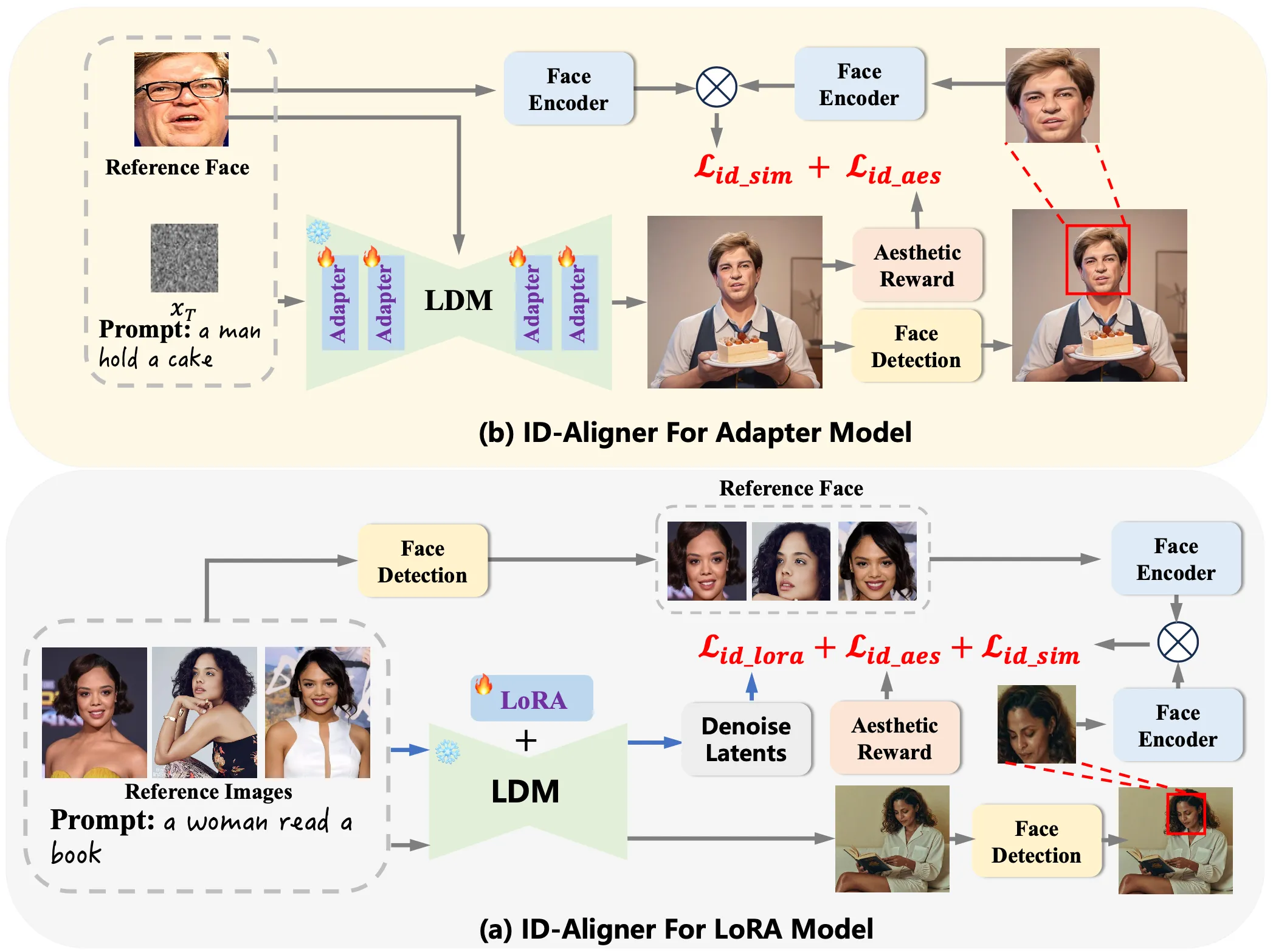
ID-Aligner adds two kinds of feedback during training. First, it uses face detection and face recognition to check if the output image still looks like the person in the reference photo. If it does, the model gets a higher “identity reward.”
Second, it adds an “aesthetic reward” so the output is not only accurate but also pleasing to look at. This reward can come from human preference data and auto-made checks on character structure.
Because this feedback setup is general, it can work with both LoRA and Adapter training. It improves results across different base models like SD 1.5 and SDXL.
The Technology Behind It (In Plain Words)
- Feedback learning: The model learns from scores it gets after it creates an image. If the face matches the person and the picture looks nice, the score is higher.
- Identity consistency reward: This uses a face encoder to compare the output face with the reference face.
- Aesthetic reward: This pushes the model toward cleaner composition, better style, and a pleasing look.
This simple loop—generate, score, improve—helps the model stay true to identity while also not giving up on style.
Performance & Showcases
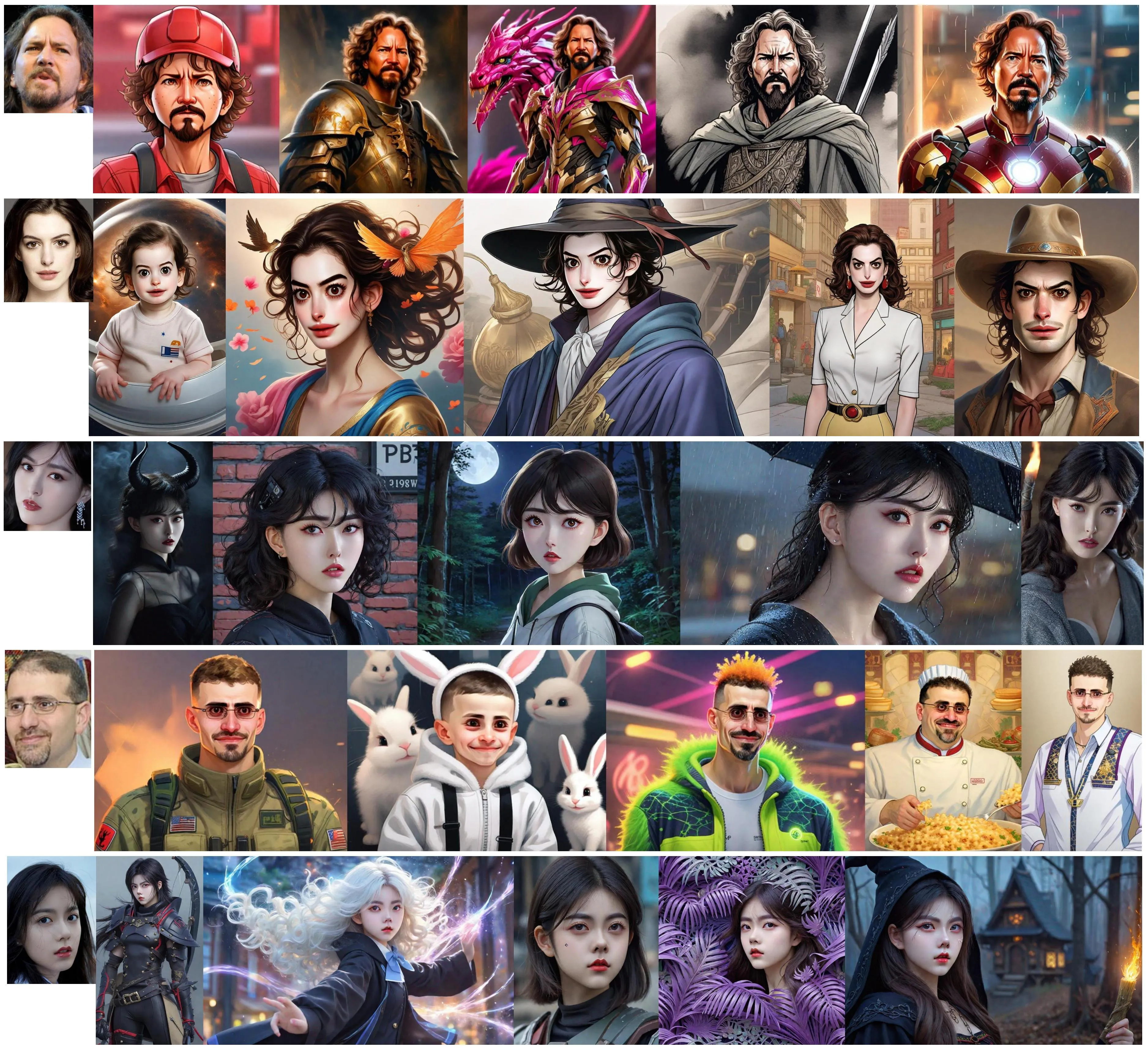
The project page shows side-by-side results that keep the same face across many prompts, scenes, and outfits. You can see consistency in facial shape and key details, while the style stays strong.
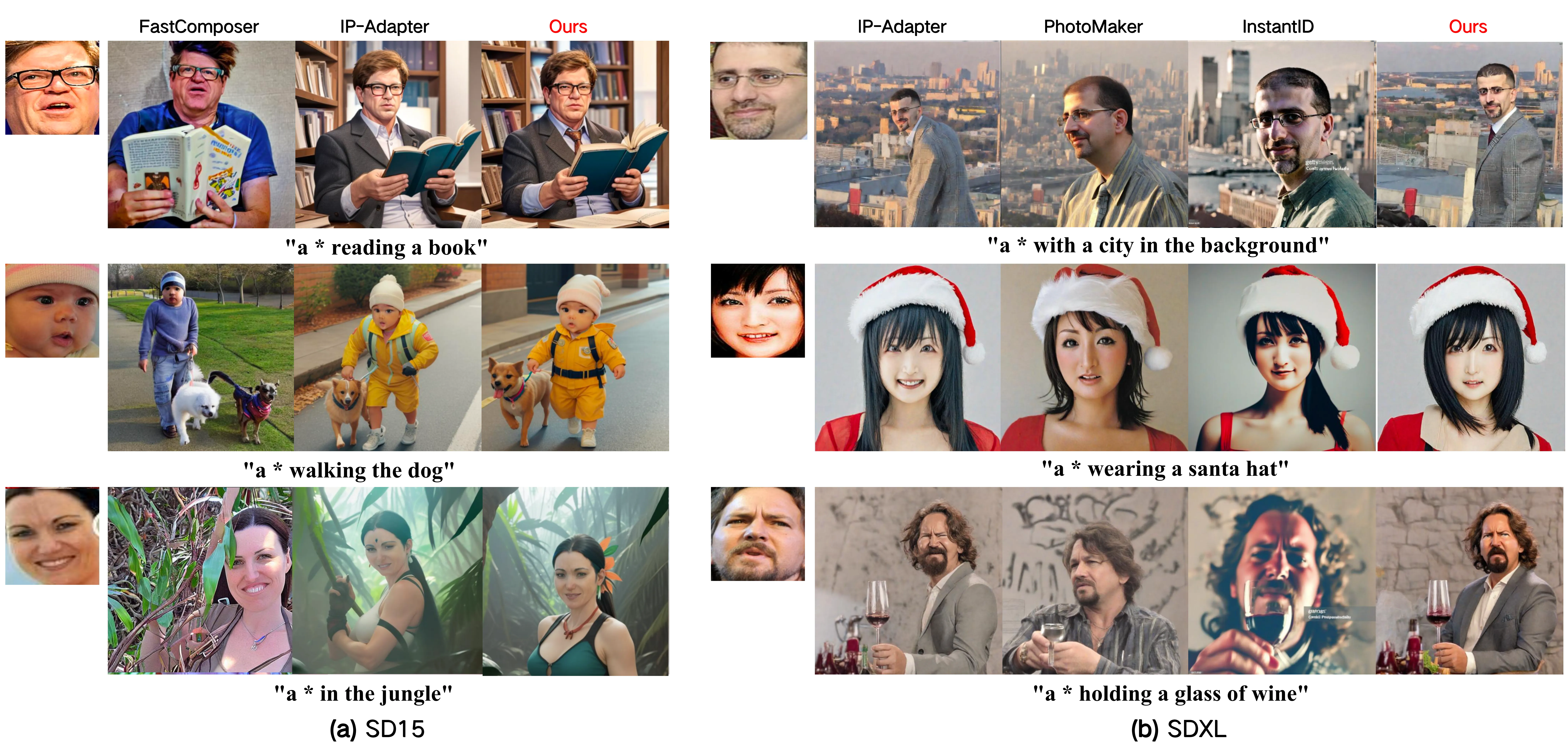
You can also find results over many varied prompts. These examples show the same identity holding up when you change the scene or the clothing, which is often the point where other methods drift.
For teams working across sound and s, you might also like our quick overview on making clips from text plus audio prompts: text-to-audio intro.
Installation & Setup
At the time of writing, the GitHub page does not include installation commands or runnable code. The team has released the paper and shared method details and results on the project site.
If you plan to adopt this idea, prepare:
- A diffusion base (SD 1.5 or SDXL).
- Your current LoRA or Adapter training flow.
- Face detection and face recognition tools for identity checks.
- An aesthetic scoring setup (from human preference data or a trained scorer).
When the authors release code or scripts, follow their exact steps. For now, use the paper and site notes to map the feedback loop into your own pipeline.
Step-by-Step: How You Would Use It (Conceptual)
- Collect 1–5 clear reference photos of the person’s face. Make sure the eyes, nose, and mouth are visible.
- Set your text prompt for the target image. Add style words and scene details if needed.
- Generate an image, then run identity and aesthetic scoring on the output.
- Use those scores as feedback during training or fine-tuning, so the model learns to keep the same face and improve looks.
- Repeat the loop and monitor identity scores across new prompts.
Note: This is a simple road map to help teams plan. Wait for the official repo steps if you need exact commands.
Tips for Better Results
- Use sharp, front-facing reference photos with even lighting.
- Keep prompts clear and short first. Add more style words later.
- Test across many prompts to confirm that identity stays stable.
- Track identity scores and pick a threshold that matches your needs.
Who Should Care
- Creators and agencies who need the same model face across many styles.
- Product teams building avatar or portrait tools.
- Researchers who want a simple feedback loop that fits LoRA or Adapter training.
Frequently Asked Questions
Does ID-Aligner work with SD 1.5 and SDXL?
Yes. The team reports strong results on both SD 1.5 and SDXL.
Can it fit my LoRA workflow?
Yes. The method is built to support both LoRA and Adapter approaches.
Do I need face recognition tools?
Yes. The identity reward comes from comparing the output face to the reference face. You need a face detector and a face encoder to make that check.
Is the code available?
The paper is public, and the website shows method and results. The GitHub page does not list install steps or code at this time.
Can I use it for brand ads and portraits?
Yes. It is well-suited for ads, portraits, and any place you need a stable face across many prompts.
Where This Fits In Your Media Stack
ID-Aligner helps keep identity stable in images. If you want to move from images to short clips, see this simple intro: text-to-video basics. If you need character videos from the same research group, explore this ByteDance project summary: character video creation.
Image source: ing Identity: How ID-Aligner Perfects Personalized Text-to-Image Generation