Multi-Subject Control: Identity and Semantic Precision with XVerse and DiT Modulation
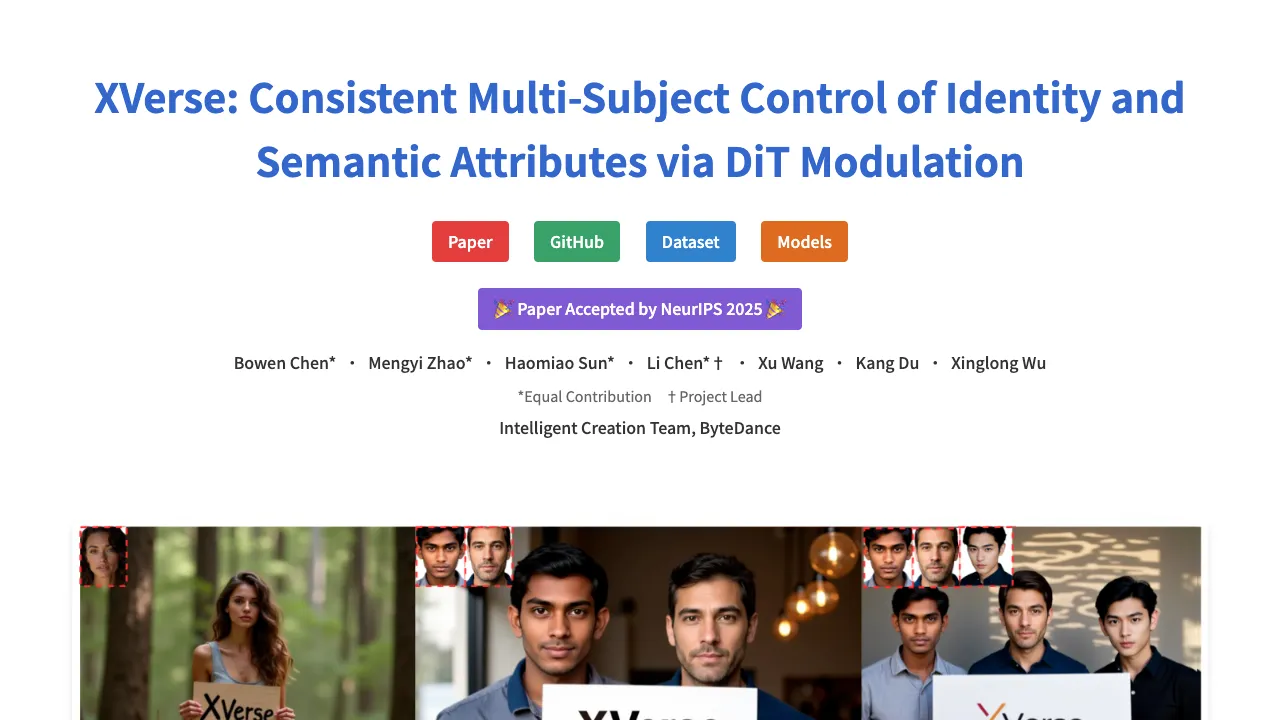
What is Multi-Subject Control: Identity and Semantic Precision with XVerse and DiT Modulation
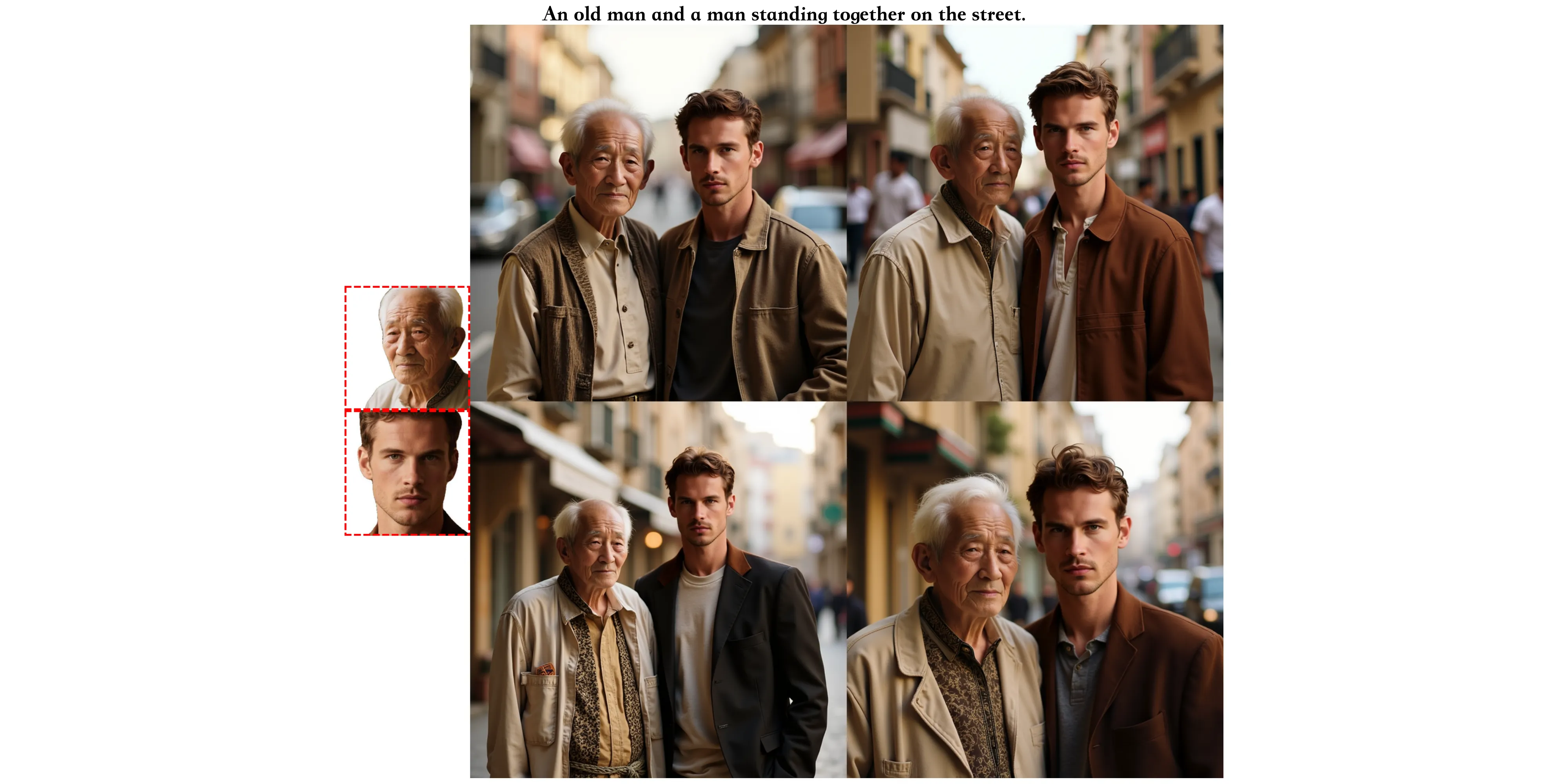
XVerse is a text-to-image method that keeps people and objects consistent across a single picture. It lets you pick who appears (by identity) and control how they look (pose, style, lighting) with a text prompt and a few reference images.
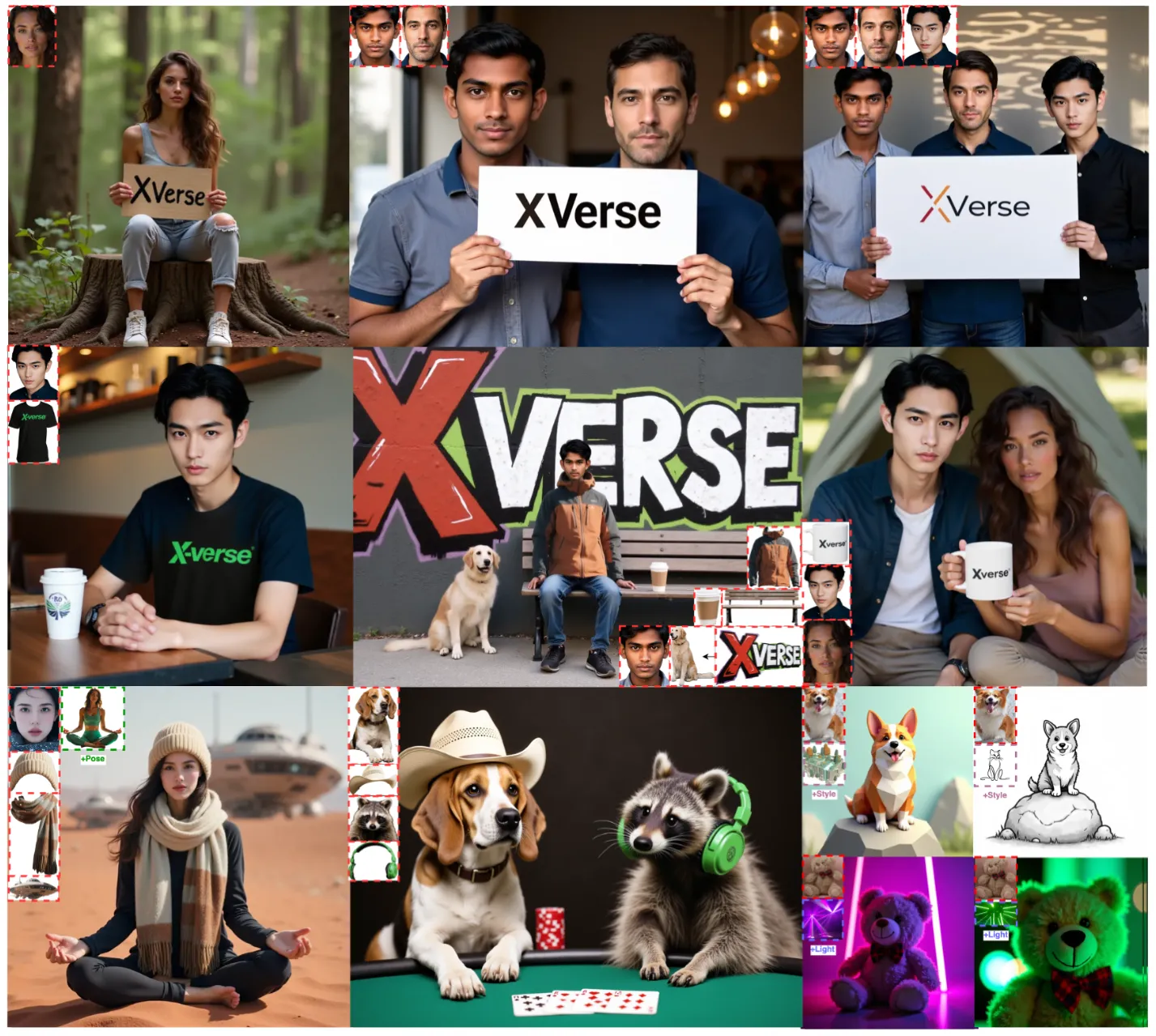
The work comes from the Intelligent Creation Team at ByteDance, and the paper was accepted by NeurIPS 2025. It aims to stop mix-ups between subjects and reduce odd errors when scenes are complex. For more on the company background, see our short note on ByteDance.
Multi-Subject Control: Identity and Semantic Precision with XVerse and DiT Modulation Overview
Here is a quick summary to help you understand the project at a glance.
| Item | Details |
|---|---|
| Type | Research project, text-to-image generation model |
| Creator | Intelligent Creation Team, ByteDance |
| Goal | Keep multiple subjects and their traits consistent in one image |
| Inputs | Text prompt + reference images for subjects |
| Outputs | Edited or new images with precise identity and attribute control |
| Core Ideas | T-Mod Adapter, Text-stream Modulation, VAE-encoded features, Region Preservation Loss, Text-Image Attention Loss |
| Model Base | Diffusion Transformers (DiT), with an auxiliary module in a FLUX block |
| Key Controls | Identity, pose, style, lighting, and other semantic attributes |
| Training Data Prep | Florence2 for captions and localization, LLM filtering, SAM2 for face extraction |
| Project Page | https://bytedance.github.io/XVerse/ |
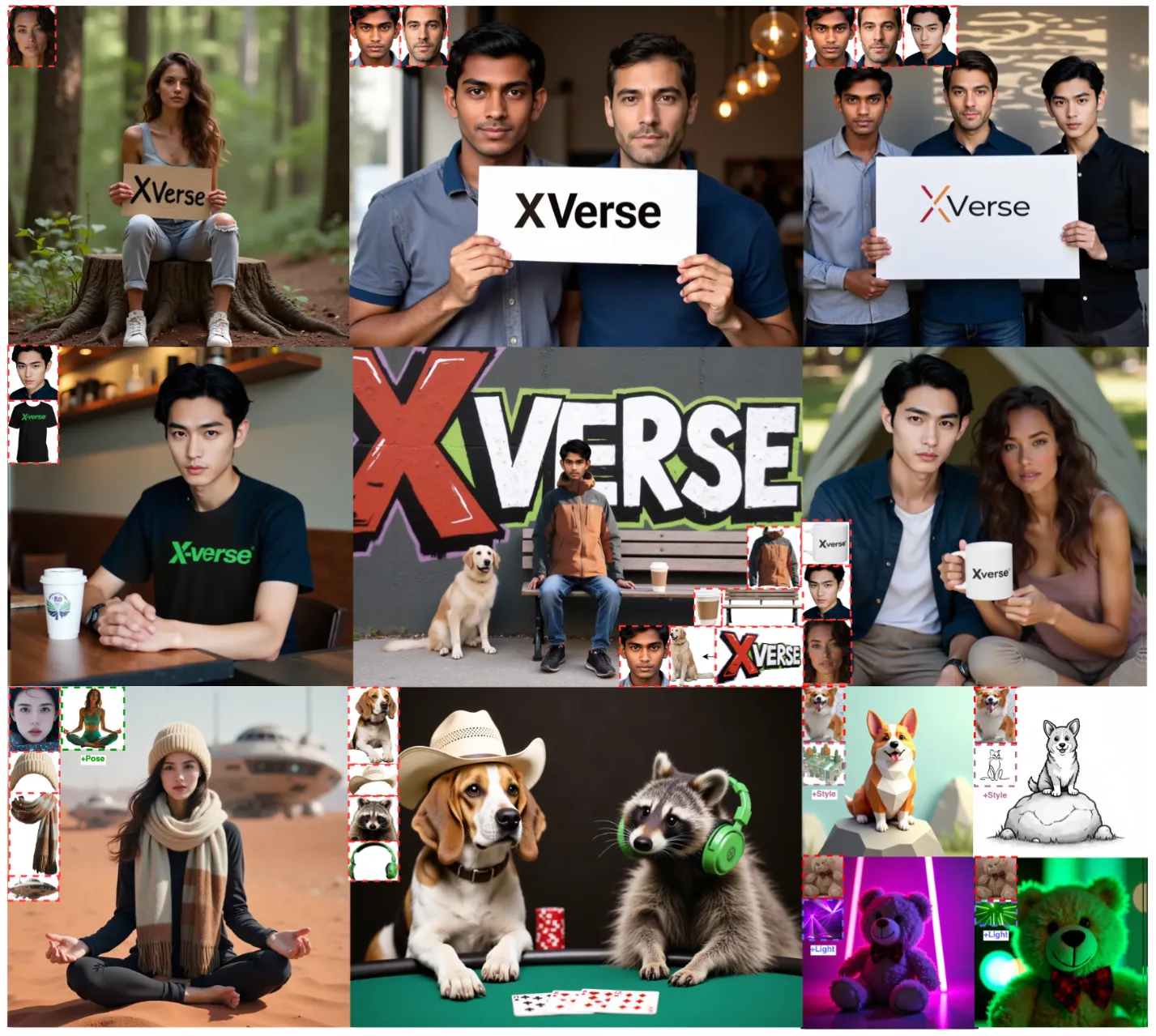
Multi-Subject Control: Identity and Semantic Precision with XVerse and DiT Modulation Key Features
- Strong multi-subject control. Keep several people or objects correct and steady within one image.
- Subject-level edits. Change one subject without breaking the rest of the scene.
- Fine control of attributes. Adjust pose, style, and lighting in small steps.
- High quality results. A VAE-based detail module helps keep textures and reduce odd errors.
- Token-specific modulation. The model links reference images to exact text tokens, so each subject is handled on its own.
- Regularization for stability. Region Preservation Loss protects untouched areas, and Text-Image Attention Loss improves alignment.
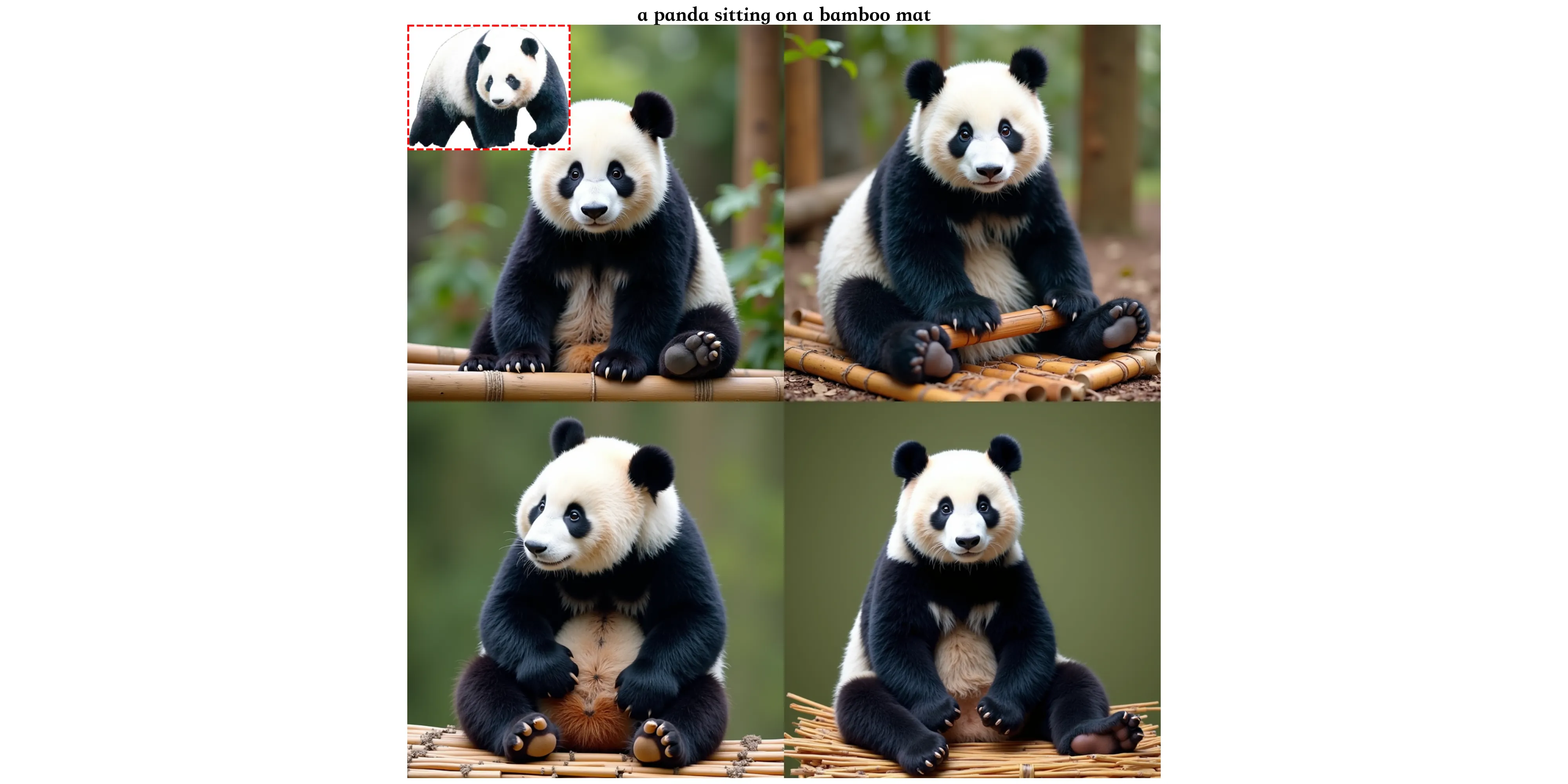
Multi-Subject Control: Identity and Semantic Precision with XVerse and DiT Modulation Use Cases
- Creative portraits: Keep two or more known faces correct while changing pose or mood.
- Product shots: Place several items in one frame and control color, style, and lighting per item.
- Marketing scenes: Build complex group scenes with brand style that stays the same across images.
- Storyboards: Keep characters on model across frames while changing angle or action.
- Education and demos: Show the same subject under different styles and light for clear teaching moments.
Performance & Showcases
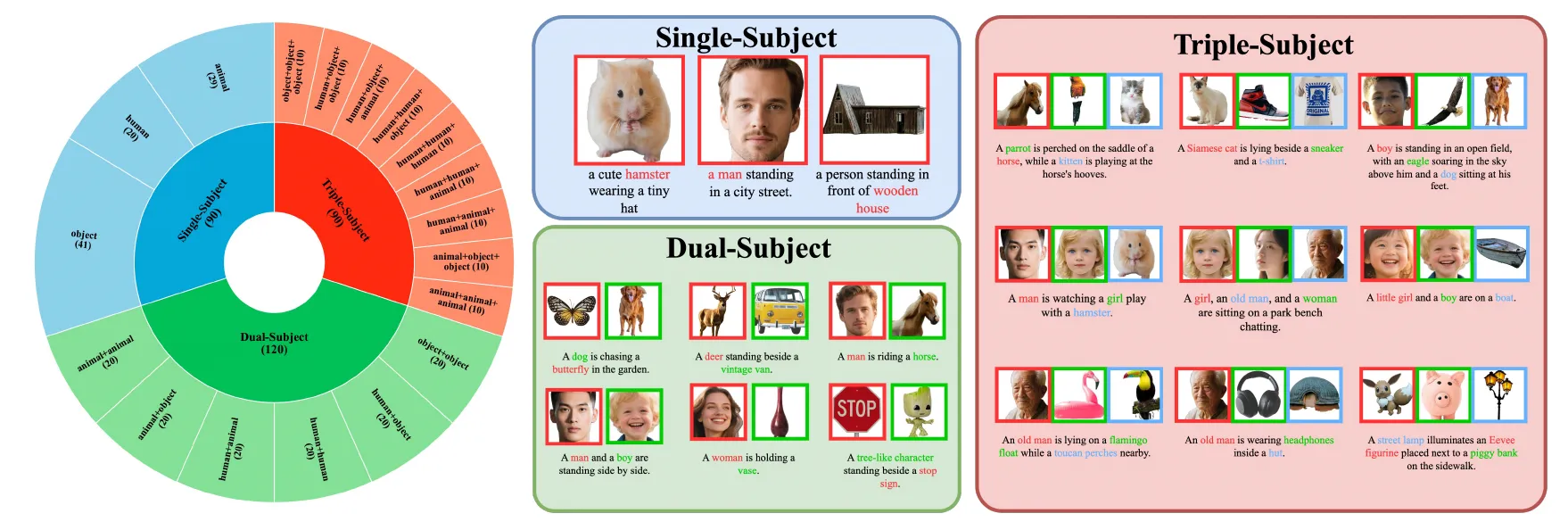
XVerse is tested with a benchmark called XVerseBench. It checks identity control and attribute control across single and multi-subject scenes. The data covers many prompts and setups to test quality and consistency.
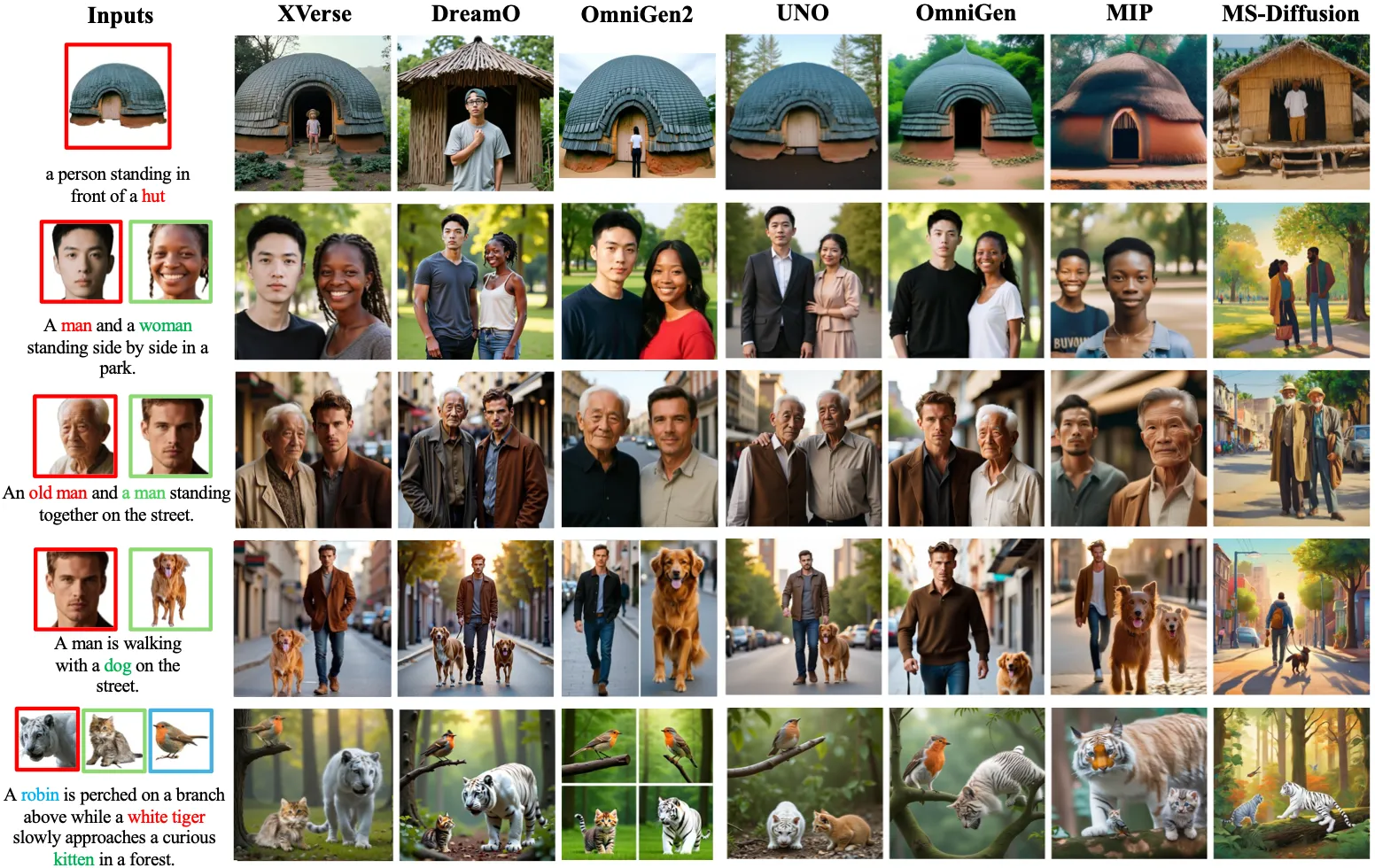
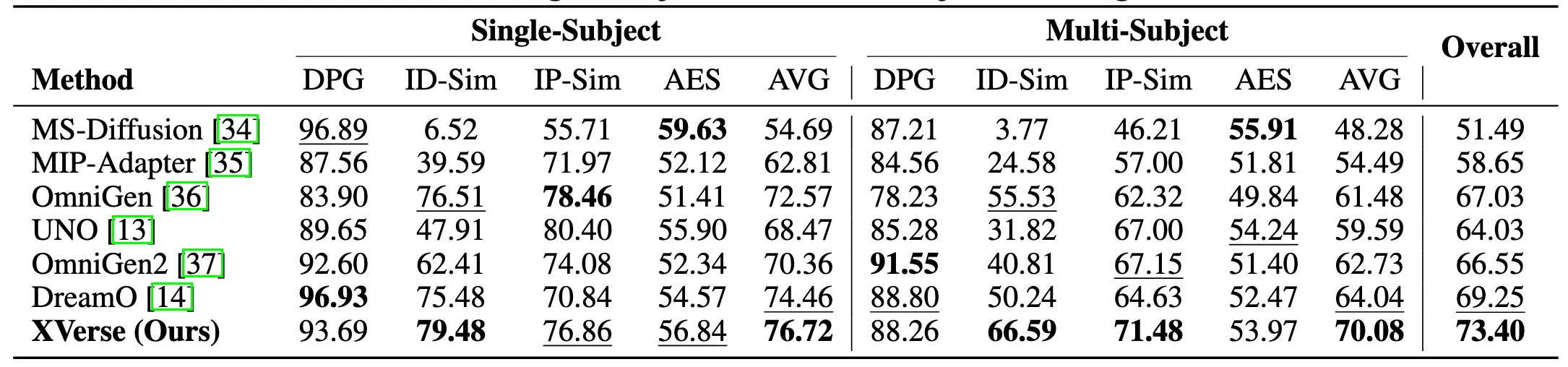
The team reports strong gains when compared to prior methods on XVerseBench. The s also show fewer odd artifacts and better subject match across scenes.
They also ran ablation tests. These tests show how each part of the method adds to quality and control. The results point to steady benefits from the T-Mod adapter, the VAE detail module, and the two regularization losses.
Read more news and breakdowns from our team on our main site.
How It Works
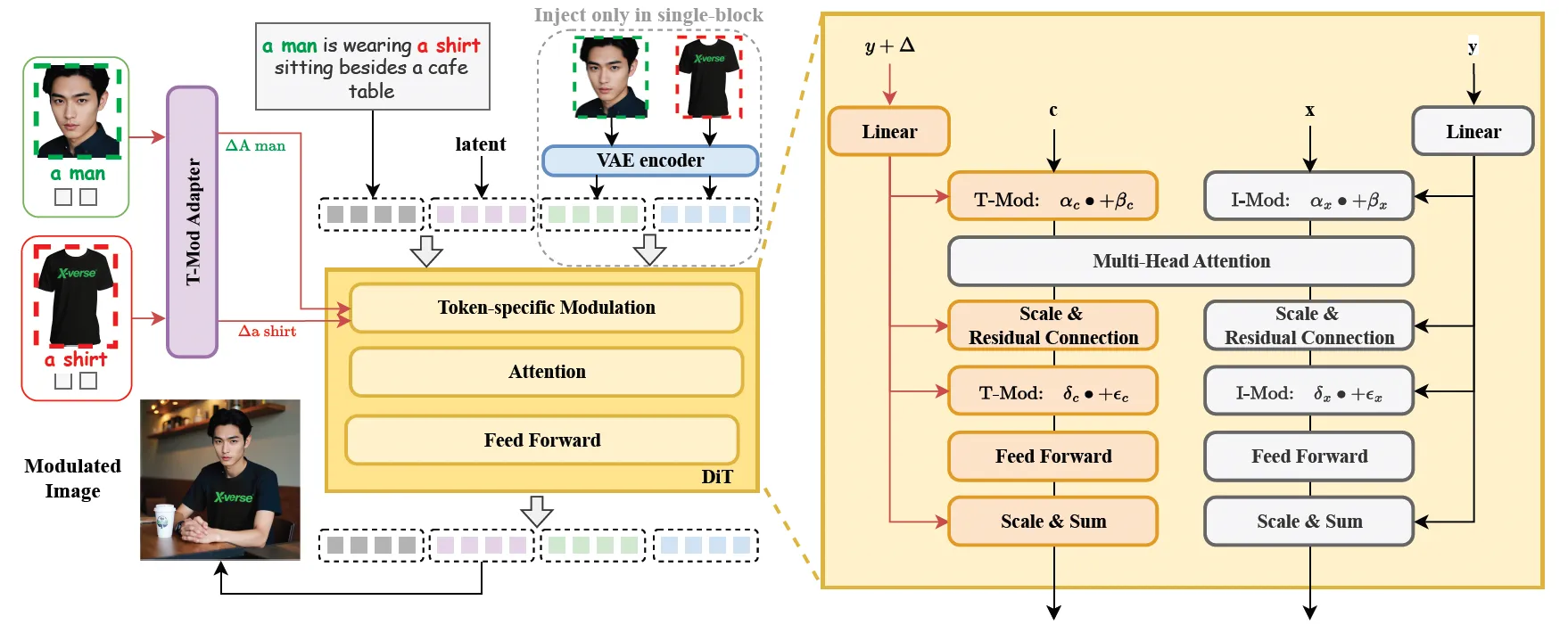
At a high level, XVerse turns each reference image into special “offsets” that link directly to words in your text prompt. These offsets guide the Diffusion Transformer (DiT) during image creation. This keeps each subject tied to its token, so edits do not spill over to other parts.
T-Mod Adapter
- A perceiver resampler reads both CLIP features from the reference image and features from the text.
- It outputs a shared offset plus per-block offsets for the DiT.
- This makes the control token-specific, so multiple subjects can be handled at the same time.
Text-stream Modulation
- The model adds the offsets to the matching token embeddings.
- It also adjusts the scale and shift of the modulation inside the DiT.
- This allows fine edits on one subject while the rest of the image stays stable.
VAE-Encoded Image Feature Module
- A small module in one FLUX block pulls in VAE-encoded features.
- This helps keep fine details and reduces distortions.
- Results look cleaner and more faithful to the references.
Regularization for Stable Results
- Region Preservation Loss: Keeps non-edited areas safe by randomly preserving one side from modulation.
- Text-Image Attention Loss: Matches cross-attention patterns between the modulated branch and a standard text-to-image branch.
The Technology Behind It
Diffusion Transformers (DiT) mix the step-by-step denoising process with the power of transformers. In simple words, the model learns to go from noisy images to clean images that match your text. XVerse adds token-specific offsets during this process, so your chosen subjects and their traits stay under control.
This is supported by CLIP features (to read image and text), a perceiver resampler (to convert features into offsets), and a VAE feature path (to keep details). Regularization losses keep the edits steady and aligned with the prompt.
Read More: About our editorial standards
Data: How the Team Prepared It
The team designed a careful data pipeline to improve training quality. It uses three main tools.
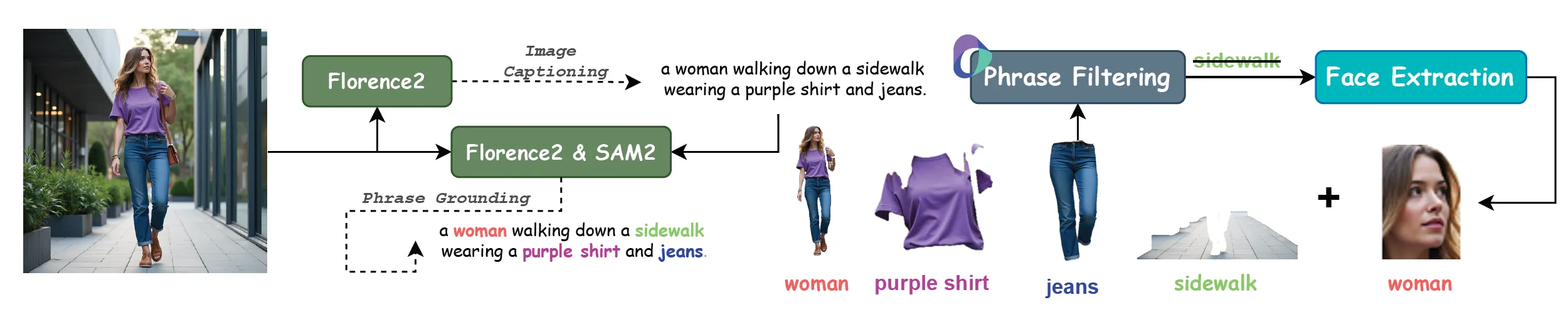
- Florence2 for full image description and phrase-level localization.
- Large Language Models (LLMs) for label filtering.
- SAM2 for face extraction and region handling.
Getting Started
- Visit the project page: https://bytedance.github.io/XVerse/. You will find links to the paper, dataset, and models.
- Review the method and the benchmark (XVerseBench) to understand how prompts and references are paired.
- Follow the instructions on the project page or GitHub to prepare data, load models, and run inference.
- Start with simple single-subject prompts and one reference image. Then add more subjects and attributes step by step.
Tips for Best Results
- Use clear prompts and mark each subject with a unique token in your text.
- Provide clean, well-lit reference images that show the key traits you want to keep.
- Change one factor at a time (for example, only lighting first). This helps you see what each change does.
FAQ
Can XVerse handle more than two subjects?
Yes. The token-specific design lets the model control several subjects at once. Results will still depend on prompt clarity and reference quality.
What kinds of attributes can I control?
You can guide pose, style, and lighting, along with other high-level traits. These controls can be combined for complex scenes.
Does it work without reference images?
It can make images from text, but reference images help keep identity accurate. For strong subject control, include clear references.
How do I reduce odd errors?
Use clean references and focused prompts. The built-in regularization and the VAE feature path also help cut down such issues.
What is XVerseBench?
It is the project’s benchmark to test identity and attribute control. It covers single and multi-subject scenes across many prompts.
Image source: Multi-Subject Control: Identity and Semantic Precision with XVerse and DiT Modulation