Show-o: The All-in-One Transformer Revolutionizing Multimodal AI Generation and Understanding
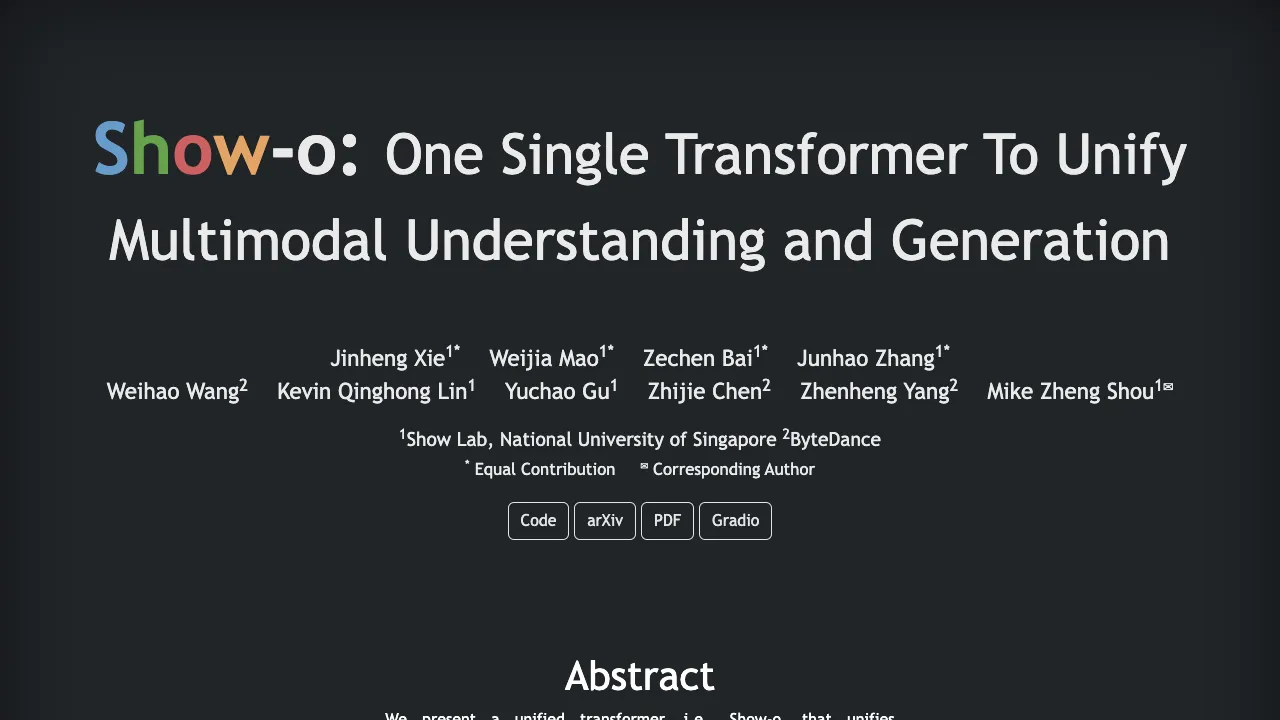
What is Show-o: The All-in-One Transformer for Multimodal AI Generation and Understanding
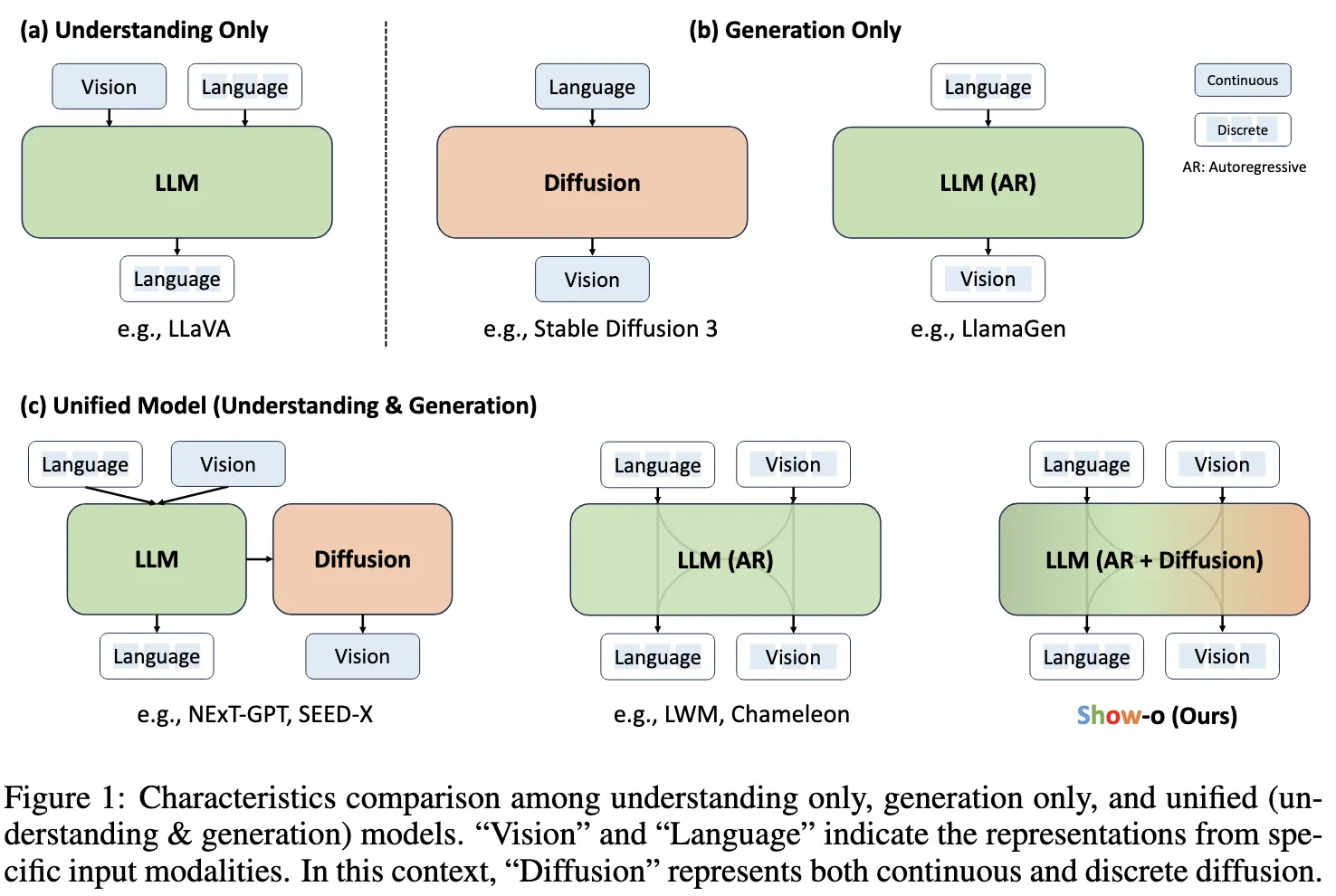
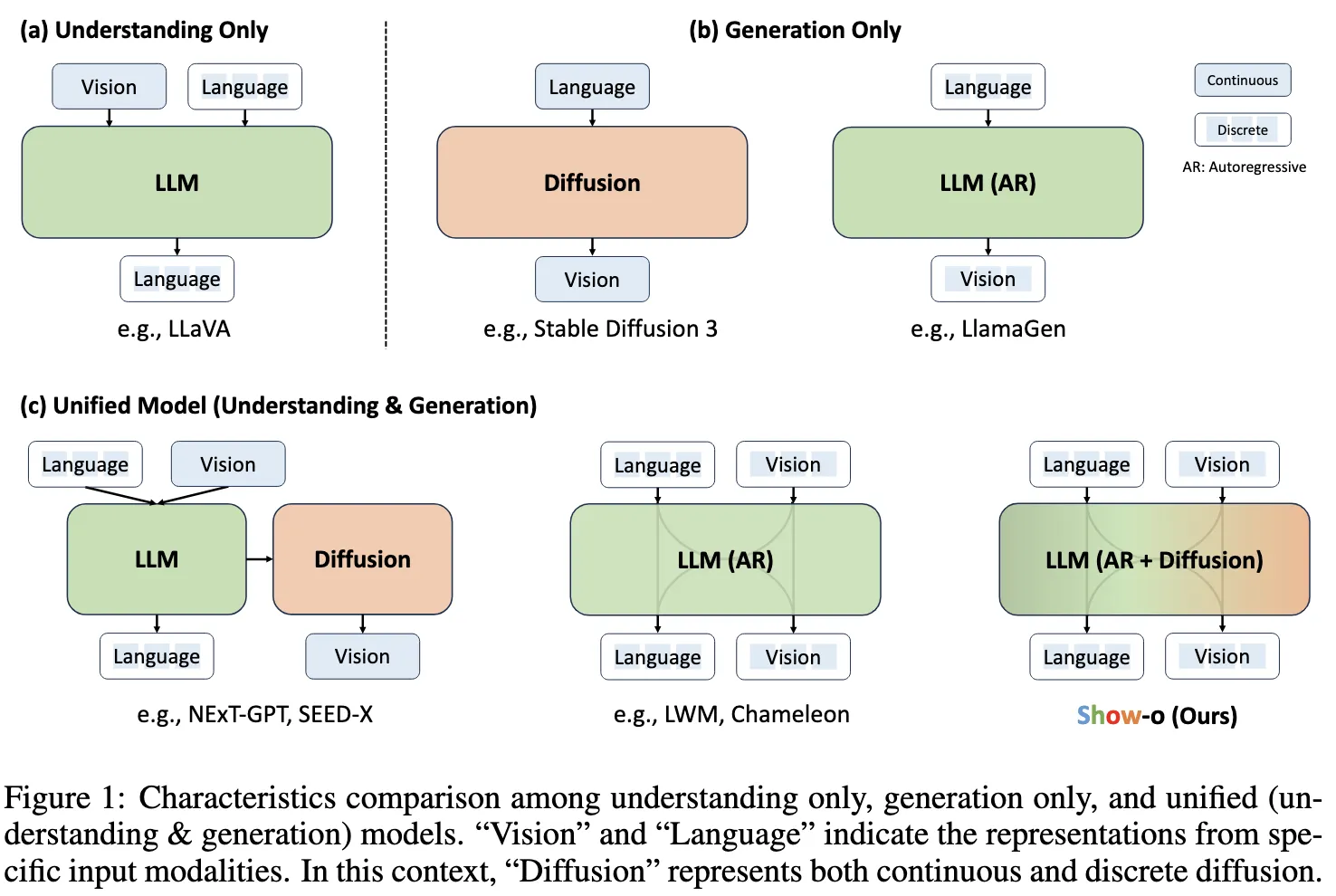
Show-o is a single AI model that can both understand and create across text and images. It brings many tasks into one place, like answering questions about pictures, making images from text, fixing parts of an image, and extending an image beyond its borders. Instead of using just one method, it mixes two well-known ways of modeling: autoregressive for step-by-step tokens and discrete diffusion for image tokens.
Show-o comes from Show Lab at the National University of Singapore with partners from ByteDance. It runs many tasks in one shared transformer, so you don’t need separate tools for each job. You can explore the official project page here: Show-o website.
Show-o: The All-in-One Transformer for Multimodal AI Generation and Understanding Overview
Here is a quick summary of what the project is and what it offers.
| Item | Details |
|---|---|
| Project Name | Show-o |
| Type | Unified transformer model for text and image understanding and generation |
| Purpose | One model that can read and create across text and images |
| Key Idea | Mixes autoregressive and discrete diffusion modeling in one transformer |
| Core Tasks | Text-to-image, question answering, inpainting, extrapolation, mixed-modality generation |
| Inputs | Text prompts, images, and combinations of both |
| Outputs | Images, text, or both based on the task |
| Demo | Gradio demo (linked from the project page) |
| Paper | arXiv (linked from the project page) |
| Code | Public code link on the project page |
| Team | Show Lab (NUS) and ByteDance researchers |
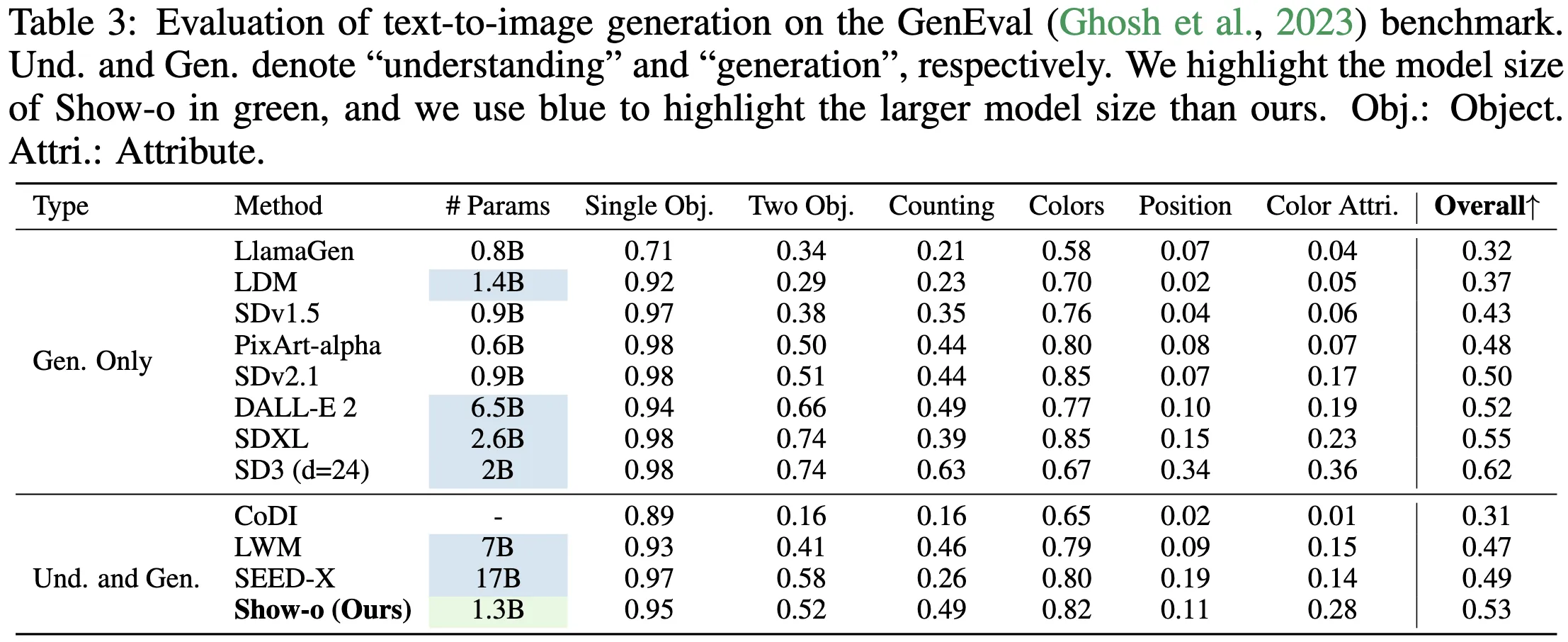
| Performance | Comparable or better than many single-task models of similar or larger size |
If you follow ByteDance research, you may also like our short read on their broader work. See this quick overview: Goku AI project.
Show-o: The All-in-One Transformer for Multimodal AI Generation and Understanding Key Features
- One model for many tasks: use the same model for image generation, editing, and answering questions about images.
- Mixed modeling: it does step-by-step token prediction for language and uses discrete diffusion for image tokens when needed.
- Works with mixed inputs: take text, image parts, or both, and produce the right output for the task at hand.
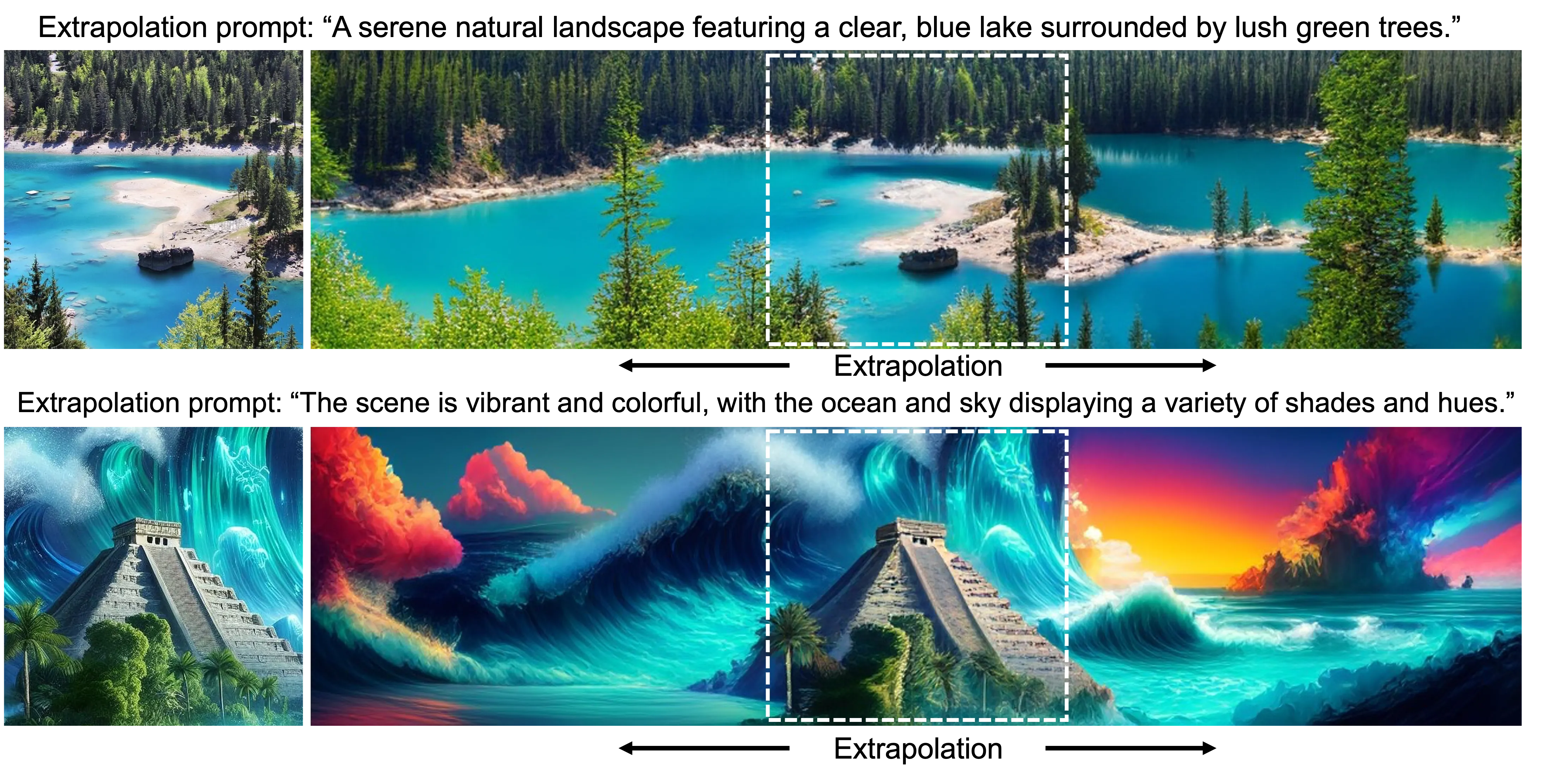
- Flexible editing: supports text-guided inpainting and outpainting (extrapolation) by masking and filling.
- Strong results: tests show it keeps up with or beats models built only for a single task.
Show-o: The All-in-One Transformer for Multimodal AI Generation and Understanding Use Cases
- Creative image making: turn a short prompt into a new image for ads, posts, or ideas.
- Smart editing: remove or replace parts of an image by telling the model what to change.
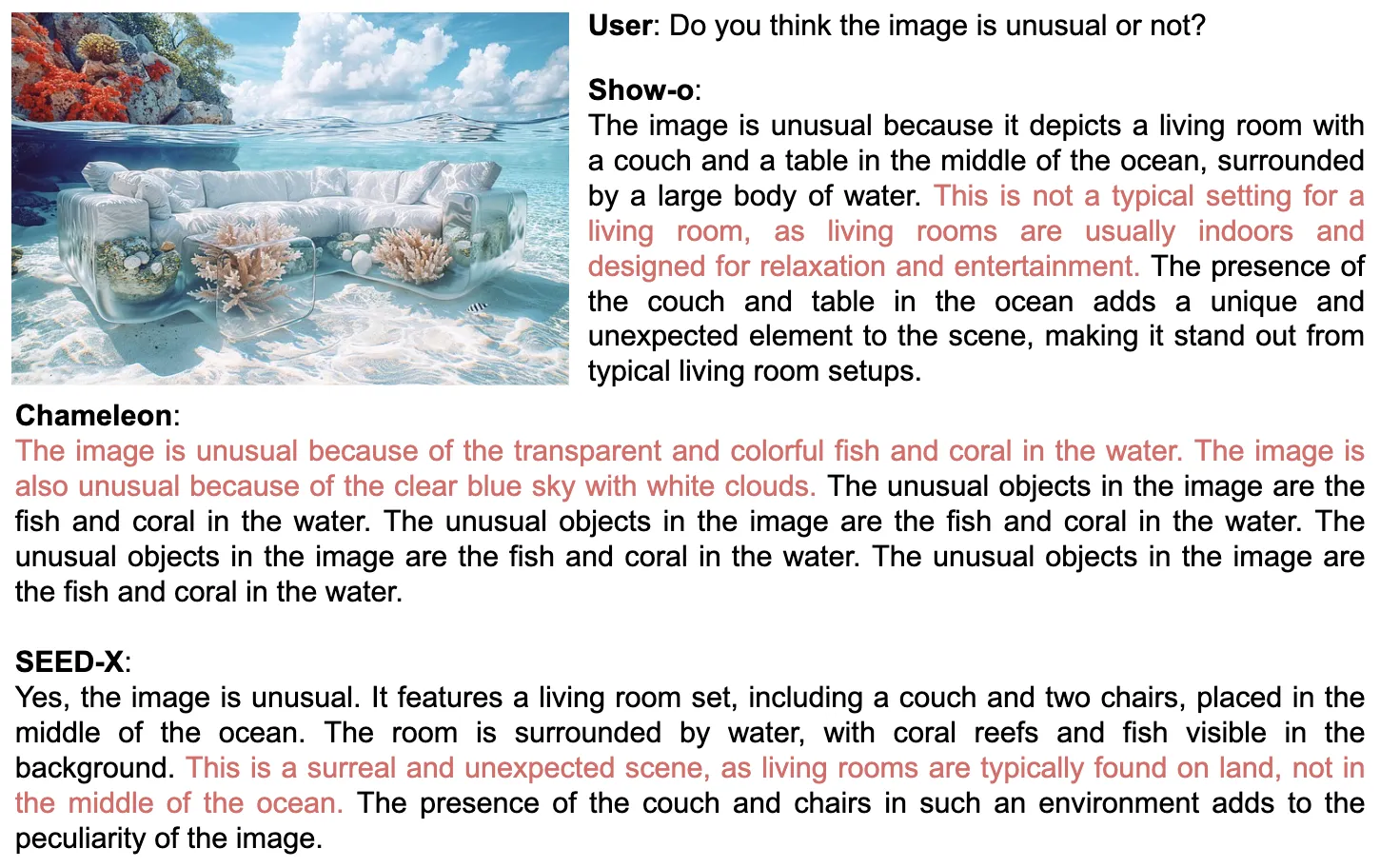
- Picture Q&A: ask questions about a photo and get clear, short answers.
- Product and UI mockups: draft ideas quickly from plain text, then refine by pointing at areas to edit.
- Research and data work: build small test sets by generating or modifying images to match study needs.
For more on ByteDance’s AI tooling in user interfaces, see this quick primer: UI Tars tools.
Performance & Showcases
Show-o is trained and tested across many tasks in one shared model. The team reports results on text-to-image, multimodal understanding, inpainting, and extrapolation, showing strong quality and range. Below is a short video highlight from the authors.
Showcase 1 — We present a novel unified model, i.e., Show-o, capable of addressing both multimodal understanding and generation tasks simultaneously with mixed auto-regressive and diffusion modeling. This clip shows how one transformer can move between reading and creating across text and images. It explains how mixed modeling helps the system switch modes based on the task without using separate tools.
How Show-o Works
Show-o is a single transformer that handles both language tokens and image tokens in one space. It blends two ways of predicting: step-by-step tokens for text and discrete diffusion steps for image parts. During use, the model picks the right path based on input and goal, so it can answer a question or make an image with the same backbone.
For inpainting and extrapolation, you provide a mask and a text hint. The model fills the missing or new area while keeping the rest as a guide. For mixed-modality tasks, it treats both text and image tokens together so they inform each other.
If you want more context on ByteDance’s research efforts in generative modeling, you may find this helpful read: Seedance research overview.
The Technology Behind It
- Unified token space: text and image tokens are handled under one framework, which makes training and use simpler.
- Mixed objectives: the model learns both autoregressive prediction and discrete diffusion, so it can serve many types of outputs.
- Task prompts and masks: small prompts and masks tell the model what to do, like “answer this question” or “fill this region.”
- Shared training: learning across tasks helps the model transfer knowledge and avoid overfitting to a single job.
Getting Started: Try Show-o Today
You can begin from the official project page: Show-o website.
- Try the live demo: click the Gradio link on the page to run simple tasks like text-to-image, inpainting, or Q&A.
- Read the paper: open the arXiv link for technical details, training setup, and benchmarks.
- Explore the code: follow the code link to see how the model is organized and to check example scripts.
- Reproduce examples: start with text-to-image in the demo, then test inpainting by uploading an image, setting a mask, and adding a short text hint.
Step-by-Step: Common Tasks in the Demo
Text-to-Image
Enter a short, clear prompt (for example, “a small red car on a snowy street”). Choose size if the demo allows it. Click generate and wait for the image.
Inpainting (Fix or Add Parts)
Upload your picture. Brush over the part you want to change, then write a short instruction (for example, “replace the cup with a green mug”). Run it and review the update.
Extrapolation (Extend the Edges)
Upload an image you want to extend. Pick the direction to grow the canvas and write a short hint (for example, “continue the beach and add distant rocks”). Generate and fine-tune if needed.
Question Answering
Upload an image and type a simple question (for example, “What color is the door?”). Click run to get a short answer. Ask follow-ups to check consistency.
Tips for Better Results
- Keep prompts short and clear. Add 1–2 key details, not long stories.
- For inpainting, make tight masks and describe just the change you need.
- Try a few runs. Small wording changes can help quality and style.
FAQ
Is Show-o one model or many small models stitched together?
Show-o is one transformer trained to handle both understanding and generation in the same framework. It uses mixed modeling so it can switch the way it predicts based on the task.
What tasks can it handle right now?
It supports text-to-image, question answering, text-guided inpainting, extrapolation, and mixed-modality generation. You can mix inputs and outputs across text and images.
Do I need special hardware to try the demo?
You can try the Gradio demo in a browser. For local runs from code, the hardware need depends on model size and settings posted by the authors.
Can I control small parts of an image when editing?
Yes. Use a mask to mark the area and provide a short text hint. The model fills the masked region while keeping the rest as context.
How does it compare to single-task models?
The authors report results that are comparable or better than many single-use models with similar or larger size. The goal is to do well across tasks without swapping tools.
Where can I learn more?
Visit the project page for links to the code, paper, and demo. The authors also share samples and comparisons on that page.
Image source: Show-o: The All-in-One Transformer Revolutionizing Multimodal AI Generation and Understanding